
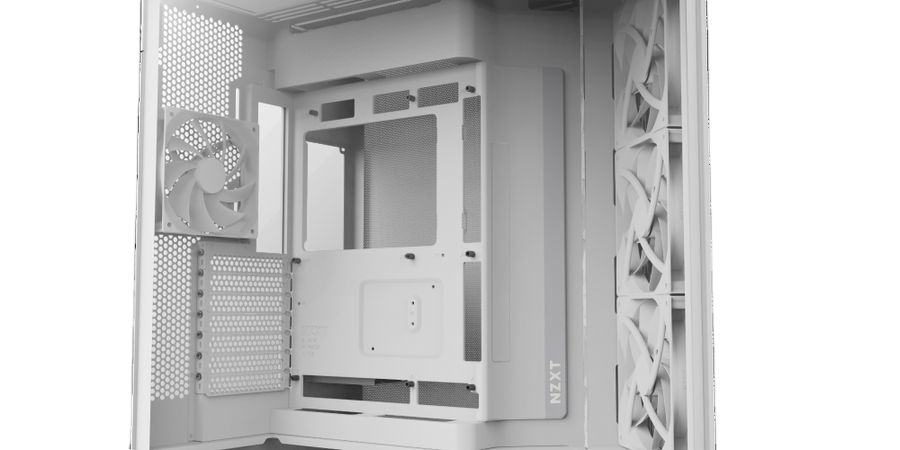
It is easy to think of a PC case as just a box, but the case you choose has a real impact on temperatures, noise and the long-term health of your components. A well-ventilated case lets your cooling do its job; a restrictive one traps heat and forces your fans to work harder. Here is how to pick a case built for airflow.
Why airflow matters
Every component in your build — the CPU, graphics card, memory and storage — produces heat under load. If that heat has nowhere to go, temperatures climb, performance throttles and fan noise rises. Good airflow pulls cool air in the front and pushes hot air out the back and top, keeping a steady flow across your hardware.
What to look for
- A mesh front panel. Solid glass fronts look great but choke intake. A mesh or perforated front lets your intake fans actually breathe.
- Plenty of fan and radiator mounts. More mounting points mean you can tune your airflow — or add a liquid cooler later.
- The right size. Make sure the case fits your motherboard, graphics card length and cooler height with room to spare.
- Clean cable management. Routing channels and tie points keep cables out of the airflow path and make the whole build tidier.
Our advice
Start with a mesh-front mid-tower that supports at least two intake and one exhaust fan, then add fans as your needs grow. Balanced airflow — roughly matching intake and exhaust — keeps dust down and temperatures stable. Browse our range of cases and cooling gear to build a system that stays cool and quiet for years.